What actually needs tracking, from an eBay seller who started with everything on the floor.
By Tim, founder of Autotabit. eBay seller for over 25 years. Updated November 2026.
The short answer
Start with two things: where it is, and how long it's been listed
Inventory tracking sounds like a big system. For an eBay seller it comes down to two questions: when something sells, can you put your hand on it right away? And when something doesn't sell, do you notice? Once those work, two more make the picture complete: what you paid, and where else the item is listed.
Prefer to watch? Here's the whole thing on video, including how I track it in the app:
When it sells
Where it is: so a sale never turns into a cancellation
An item sells, and you're standing in front of your shelves trying to remember where you put it.
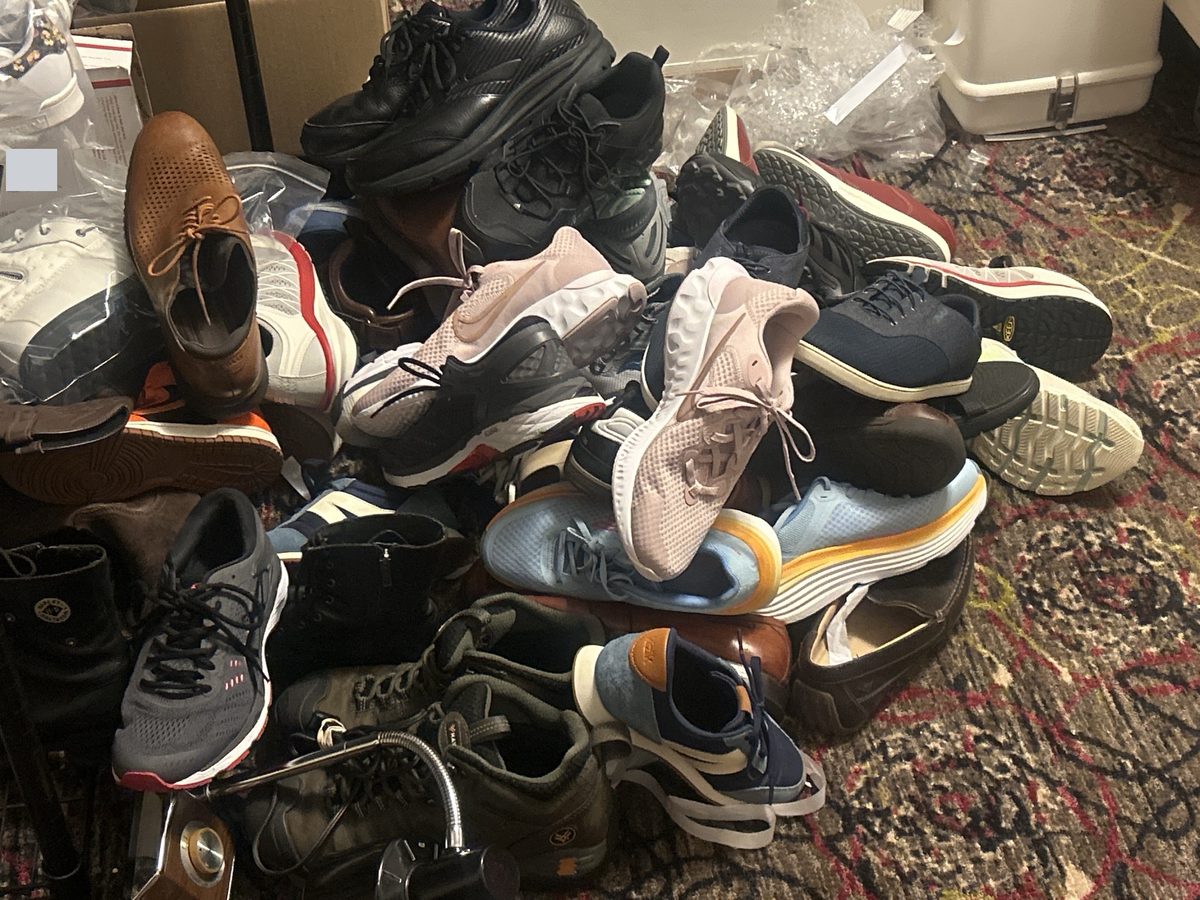
When I started, I basically didn't track my inventory. Everything was on shelves and on the floor (the death pile was real). I don't think I ever lost an item, but I was always hunting for things when they sold. The bigger your store gets, the bigger that headache gets.
And hunting isn't the worst part. If you can't find something that sold, you end up canceling the order, and too many of those is a no-no. eBay counts an order the seller cancels because the item is out of stock as a transaction defect, and its seller standards look at your defect rate. More on that in what to do when you can't find a sold item.
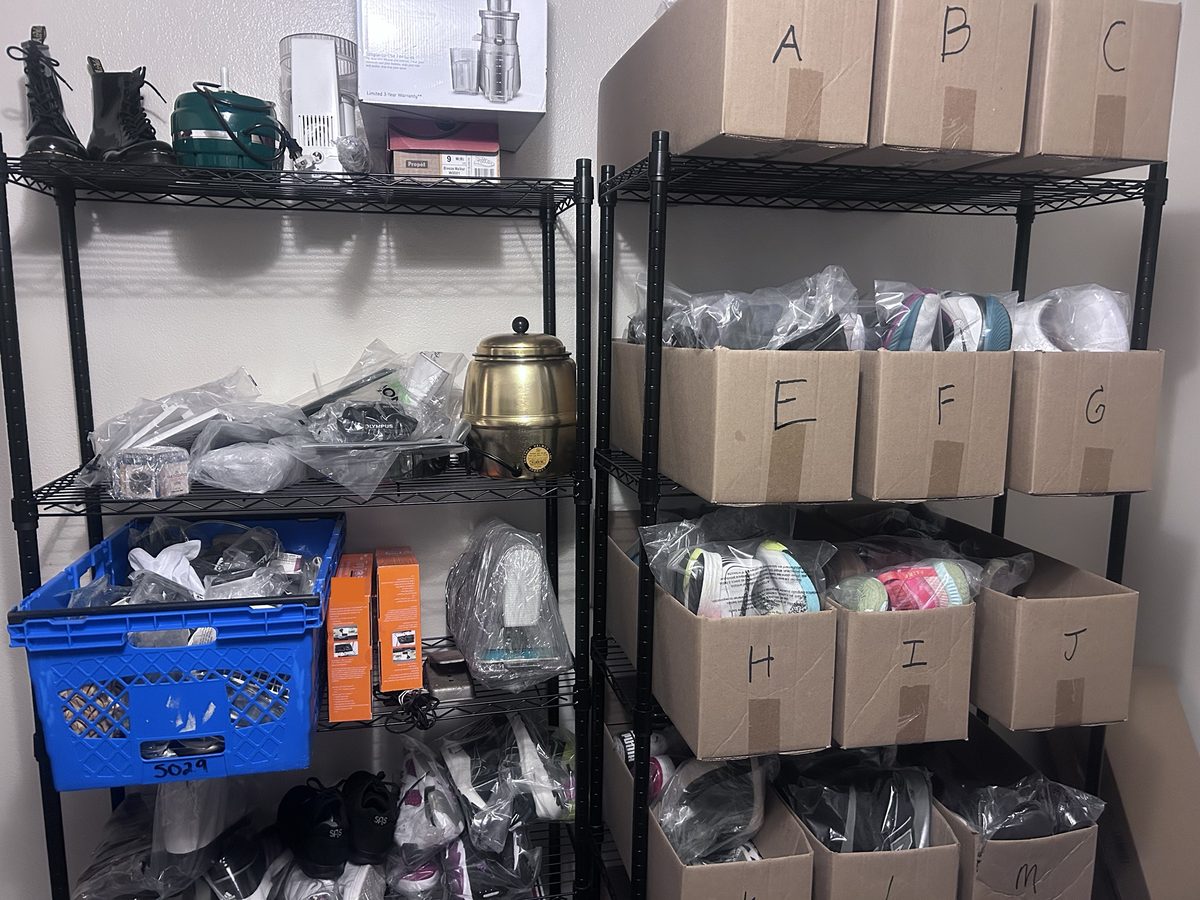
Now I have a room of racks with boxes on them, labeled A through Z. For a long time, shoes made up most of my inventory, and those are what go in the boxes. Other things, like electronics or a coffee pot, just sit on the racks, because I can see them clearly.
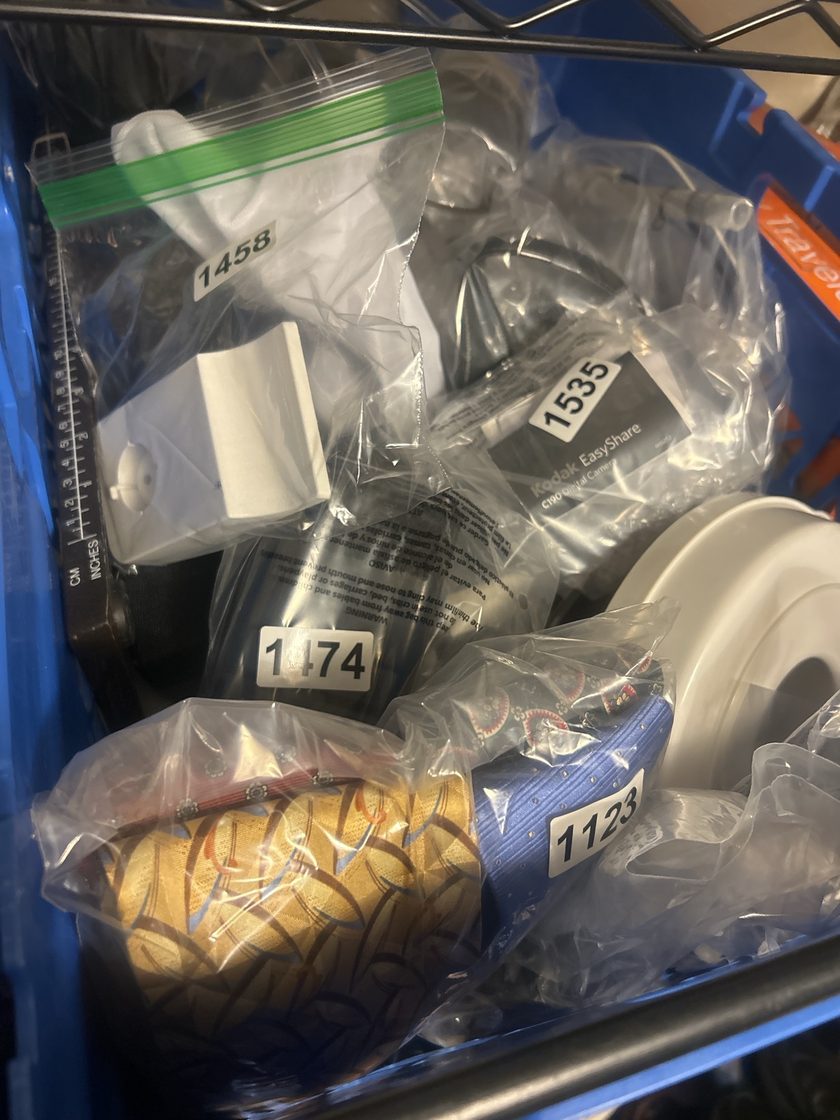
Small items go into clear bags with a number on them, and the last photo on the listing is a picture of the item in its bag. When it sells, I open the order details, go to the listing and go backwards from the first photo to the last one, and there's the bag number.
Small items, each in its own numbered bag.My racks. Shoes go in the lettered boxes; everything else sits on the shelves where I can see it.
That's a good rule to start with: give a location to anything that hides in a box or looks like the items next to it. Anything you can spot from the doorway can just go on a shelf.
How it works in Autotabit: every item has a Storage Location field, and you can save your locations once in Settings, under Saved Lists, so you pick them instead of typing them. The Inventory search finds items by location, so searching "Box A" shows everything in that box, and the Location filter appears once your items have locations. The Dashboard To Do shows how many items still need a storage location, and you can hide that reminder if you only use locations for some items. When an item is relisted, its location moves to the new listing.
Marking it
Three common ways sellers mark where an item is
You've decided where things go. Now the listing has to tell you, when it sells, which box to open.
Where the location goes
How it works
In the SKU
eBay has a SKU field on every listing, and lots of sellers type the location there, like "B" or "B7". Buyers don't see it, and it stays with the listing.
At the end of the title
The eBay title, then the location, like "... Size 9 Black B7". You see a lot of this, and it's on every screen that shows the title.
In a separate location field
An inventory or profit tool keeps the location as its own field, next to the cost and the other details of the item.
I use the SKU. On my shoes, the SKU is the letter of the box they're in. Putting the location at the end of the title is common, and I see a lot of it, but I think it can cause some confusion, so I don't put it in my titles.
How it works in Autotabit: the SKU comes in from eBay with each listing. It shows on the item and on the order when it sells, and both the Inventory and Orders search look in the SKU too. Autotabit also has its own Storage Location field if you'd rather keep the location out of eBay. You can use either one, or both.
When it doesn't sell
How long it's been listed: a good item that sits is a question
You scroll past a listing and realize it's been up for months.
Stale items are a big deal. When something has been sitting a long time, I pay closer attention to it. It's a good item, so why hasn't it sold? Maybe there's an error in the listing. Age makes me dig into it.
A couple of times, that's exactly what I found: the shoe size in the title was wrong, and the photo showed a different size. A buyer searching for their own size would never have found it.
So before you lower the price on something old, open the listing and check it against the item: the title, the size, the item specifics and the photos.
How it works in Autotabit: every item card shows how many days it has been listed, and Inventory can sort by Days Listed. Reports > Inventory Aging groups your live listings into 0-30, 31-60, 61-90 and 90+ days and shows how much of your store is stale; tap a group to see its items. When you find a mistake, Sell Similar (eBay US accounts) opens the listing in an editor to fix the title, item specifics, photos and more, and the item's cost moves to the new listing. If you'd rather lower prices by age automatically, Auto Markdowns does that.
When it sells, part two
What you paid: so the sale tells you what you made
Something sells for $45. Was that a good sale? It depends on what you paid for it, months ago.
Inventory tracking isn't only about the shelf. If each item doesn't carry its cost, every sale is a guess at your profit, and the longer an item sits, the harder that cost is to remember. The easiest time to record it is the day you buy it. I log each sourcing trip in the parking lot before I pull out, and I wrote about that habit here.
How it works in Autotabit: new listings come in from eBay with a $0 cost, and the Dashboard To Do counts the items that still need one. You can type costs one at a time, fill in many at once with Bulk COGS, or tag items to a sourcing trip so the trip's spend is split across them. When an item is relisted, its cost moves to the new listing, so profit is right whenever it sells.
If you crosslist
Where else it's listed: so one item never sells twice
Your item sells on eBay, and it's still up on another site.
If you list the same item on more than one site, tracking also means knowing where else it's up. Miss one, and a second buyer can pay for an item you've already shipped. Then it's the same problem as an item you can't find: a cancellation. I wrote more about it in how crosslisting double sales happen.
How it works in Autotabit: in the item editor, Also Listed On lets you tap the sites where the item is listed, with Poshmark, Mercari, Facebook Marketplace, Depop, Etsy, Vinted and Whatnot ready to tap. When the item sells, the Dashboard To Do shows it under "sold, still listed elsewhere" with the site it's still on. Remove it there, then tap Delisted. Autotabit doesn't log in to the other sites; it reminds you based on what you tagged.
Questions
eBay inventory tracking questions
What should I track for my eBay inventory?
Two things beyond the listing itself: where each item is stored, so you can find it the moment it sells, and how long it has been listed, so items that sit too long get a second look. Tracking what you paid is what makes your profit right.
What happens if I can't find an item that sold on eBay?
You end up canceling the order. eBay counts an order the seller cancels because the item is out of stock as a transaction defect, and too many defects can lower your seller level.
What should I do with eBay listings that aren't selling?
Look at the listing before you lower the price. Check the title, size, item specifics and photos against the item. A wrong size in the title keeps a listing out of the searches of the buyers who want it.
How do I track items I list on eBay and other sites?
Note on each item every site it's listed on, and delist it everywhere else the moment it sells. In Autotabit, tag the sites with Also Listed On, and the Dashboard reminds you which sold items are still listed elsewhere.
Try it on your own store
Storage locations, days listed, Inventory Aging, costs and crosslist reminders are on every plan, including the free plan. Free up to 30 listings. No credit card required.